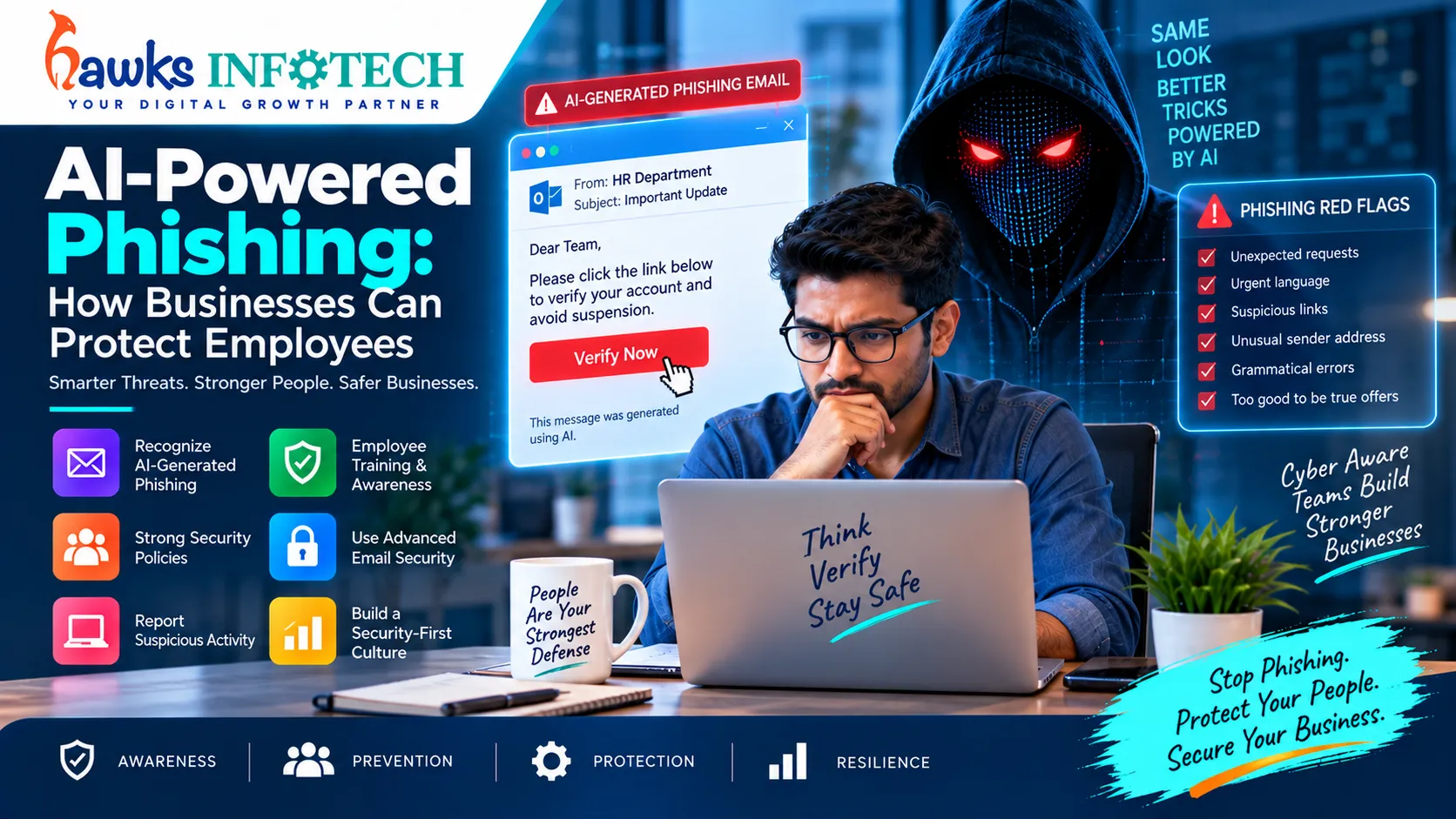
For years, corporate cybersecurity training taught employees to look for telltale signs of phishing: awkward grammar, misspelled domains, generic greetings like "Dear Customer," and dramatic urgency. In 2026, that traditional advice is dangerously obsolete. Today, cybercrime syndicates utilize specialized generative AI models to compose hyper-personalized, contextually flawless spear-phishing emails that mimic your exact vendor invoices, mimic internal executive writing styles, and deceive even seasoned technology professionals.
The Flawless Hook
AI language models replicate corporate vernacular, reference active projects, and adopt professional email signatures scraped from corporate press releases.
Modern Defense
Combines technical email authentication (DMARC, DKIM) with behavioral employee simulation drills and cryptographic hardware authentication.
Supporting Deep-Dive Guide
Master Pillar: AI-Powered Cybersecurity Threats in 2026
Table of Contents
Direct Answer: How can businesses protect employees from AI phishing?
To defend against AI-powered phishing, organizations must: 1) Enforce phishing-resistant hardware passkeys (FIDO2) that cannot be intercepted by fake login portals, 2) Deploy AI-powered email filters that analyze linguistic context and domain age rather than static keywords, 3) Mandate strict out-of-band verification for invoices, and 4) Run continuous adaptive simulation training.
1. The Anatomy of an AI Spear-Phishing Attack in 2026
To appreciate why AI-powered phishing succeeds, consider the multi-stage reconnaissance workflow executed by modern threat actors:
- Automated OSINT Scraping: Autonomous agents crawl your company's social profiles, blog posts, and press releases, discovering that your head of procurement recently attended a vendor expo in Gurgaon.
- Style & Tone Cloning: By analyzing public writing samples of your executive team, the AI clones their exact conversational cadence, sign-offs, and greeting habits.
- Contextual Payload Crafting: The attacker generates an email that arrives at 9:15 AM: "Hi Anjali, following up on our conversation at the Gurgaon expo regarding the revised hardware supply agreement. Please review the attached signed PDF schedule before noon."
- Credential Harvesting Portal: Clicking the attachment opens a pixel-perfect replica of your company's Microsoft 365 login screen hosted on a reverse-proxy server that intercepts session cookies in real time.
This precision engineering reflects the broader trends explored in our intelligence report on AI-powered cybersecurity threats in 2026.
2. Why Traditional Employee Training Fails Against Machine Deception
Old annual compliance videos that tell staff: "Look for misspelled words like 'PayPla' or odd grammar" are useless against large language models. AI writes with impeccable prose.
Furthermore, threat actors deploy multi-channel synchronization: an email is preceded by a realistic WhatsApp text ("Sending the contract now, please approve quickly") or a cloned voice call, establishing high trust before the malicious link is ever clicked. (See our guide on AI voice scams and business security).
3. Emerging AI Deception Vectors: Quishing & Multi-Channel Smishing
Modern phishing has expanded beyond the email inbox into mobile communication channels:
Quishing (QR Code Phishing)
Attackers embed dynamic QR codes inside PDF attachments or physical office mailers. Because email security crawlers cannot easily parse QR image destinations, employees scan the code on personal smartphones—bypassing corporate endpoint firewalls.
WhatsApp Executive Impersonation
Adversaries register WhatsApp accounts with stolen executive photos, messaging middle managers: "I'm in a board meeting right now and can't take calls. Please purchase these Google Play gift vouchers for the client giveaway immediately."
4. Technical Safeguards: DMARC, AI Filtering, & EDR
Human vigilance must be reinforced with automated technical guardrails:
- Enforce Strict DMARC Policy: Set
p=rejectacross all company domains to prevent direct domain spoofing. - Deploy Natural Language Email Firewalls: Use modern email security solutions (Abnormal Security, Darktrace) that inspect relationship history and behavioral deviation rather than static keyword filters.
- Implement FIDO2 Phishing-Resistant MFA: Traditional 6-digit codes and push notifications can be stolen by reverse-proxy phishing kits (Evilginx). Hardware security keys (YubiKeys) cryptographically bind authentication to the exact browser domain, neutralizing credential harvesting.
5. Behavioral Training: Building a "Human Firewall"
Transform employee awareness from passive annual tests to continuous behavioral habit:
- Normalize Healthy Skepticism: Empower employees to question any unexpected request involving money, password resets, or sensitive data—even if it appears to come from the CEO.
- Establish Out-of-Band Verification Rules: If an email requests a change to supplier bank account details, staff must verify the request via a pre-established telephone number or face-to-face confirmation.
- Celebrate Reporting Over Blame: Create a culture where employees who report suspicious emails are praised, and those who accidentally click are supported rather than publicly shamed.
6. Incident Response: What to Do When a Link Is Clicked
7. Frequently Asked Questions
How can employees spot an email written by an AI language model?
Focus on intent rather than grammar. Look for subtle incongruities: unexpected payment requests, unusual urgency, or requests to bypass established standard operating procedures. When in doubt, always verify via a separate communication channel.
Can AI phishing bypass Microsoft 365 or Google Workspace spam filters?
Yes. Because AI-generated phishing emails use authentic language and are sent through newly registered high-reputation domains, default cloud email filters often fail to recognize them. Layering dedicated behavioral AI email security is strongly recommended.
What is the risk of employees entering company data into public AI chatbots?
Free consumer AI tools may retain user inputs for future model training, potentially exposing proprietary trade secrets, client names, or internal financial data to the public. Companies must enforce strict internal AI usage policies.
Topical Cluster: AI-Powered Cybersecurity & Threat Defense
Explore the complete interconnected network of pillar guides and specialized deep-dive articles in this domain:

AI-Powered Cybersecurity Threats in 2026
Explore the comprehensive master guide that unifies all AI-Powered Cybersecurity & Threat Defense strategies.


